FBX Scale Report Pro

Find the wrong scales in a folder, then fix them in one pass

Blender add-on · Blender 4.2+

Everything the free tool does, plus correcting the scale instead of only reporting it, rig checks that measure what an engine will do with the skeleton, and profiles that judge every file against Unity, Unreal or your own pipeline.

What it does

  • Rewrites the declared scale, with a preview of exactly what will change
  • Leaves a written record of every change, plus a timestamped backup
  • Batch correction across a folder, one file at a time
  • Rig checks: bone influences per vertex, vertices nobody weighted, bind pose
  • Profiles for Unity, Unreal and marketplace submission — or your own JSON file
  • Reads binary FBX, which the free tool reports as not read
  • Command-line mode for a build pipeline, with an exit code per pipeline

What it looks like
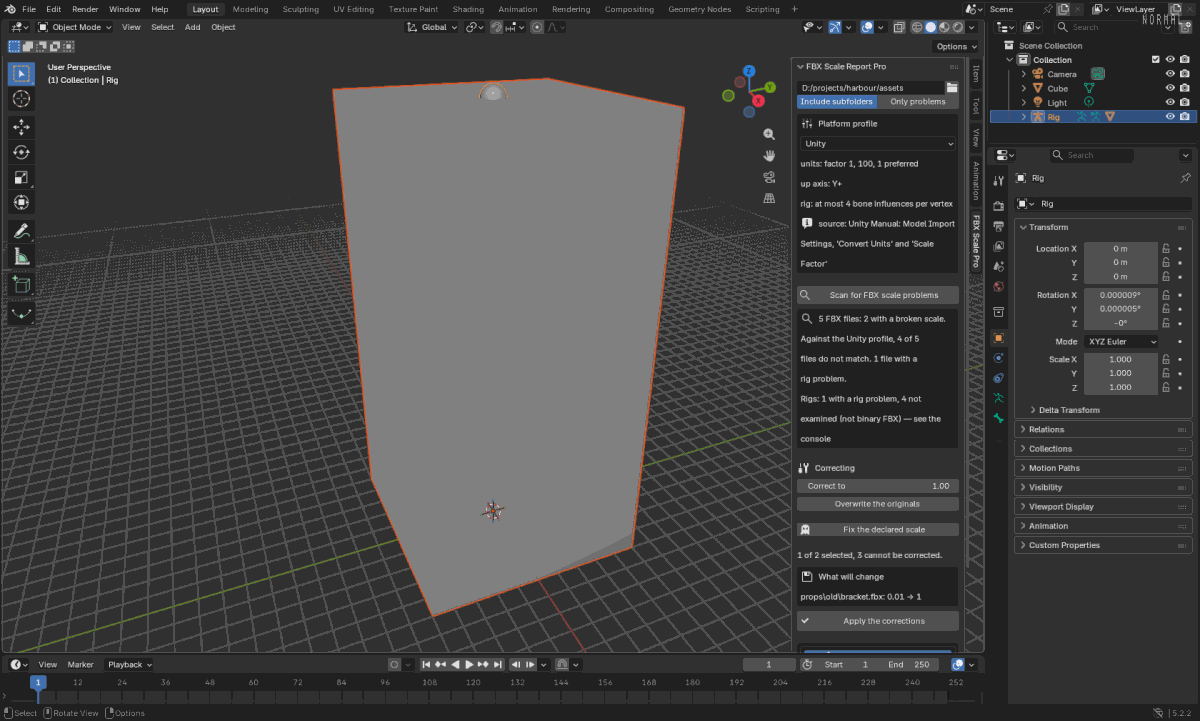
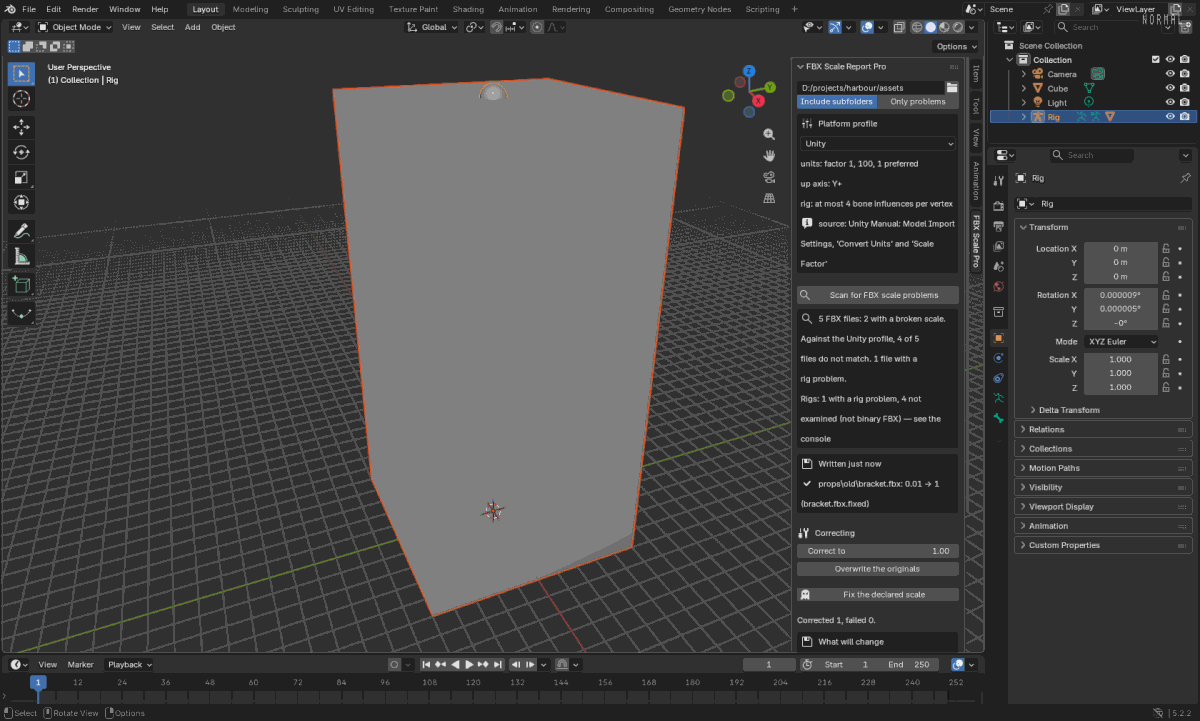
Blender's 3D viewport with the add-on's sidebar panel open: a folder, a Unity platform profile with its rules, the scan result, and a box saying what will change before anything is written.
The panel, in Blender's sidebar. Pick the pipeline to judge against, scan, and see exactly what a correction would do — the write is a separate press.
The same panel after applying: a 'Written just now' box naming the file, the factor before and after, and where the corrected copy went.
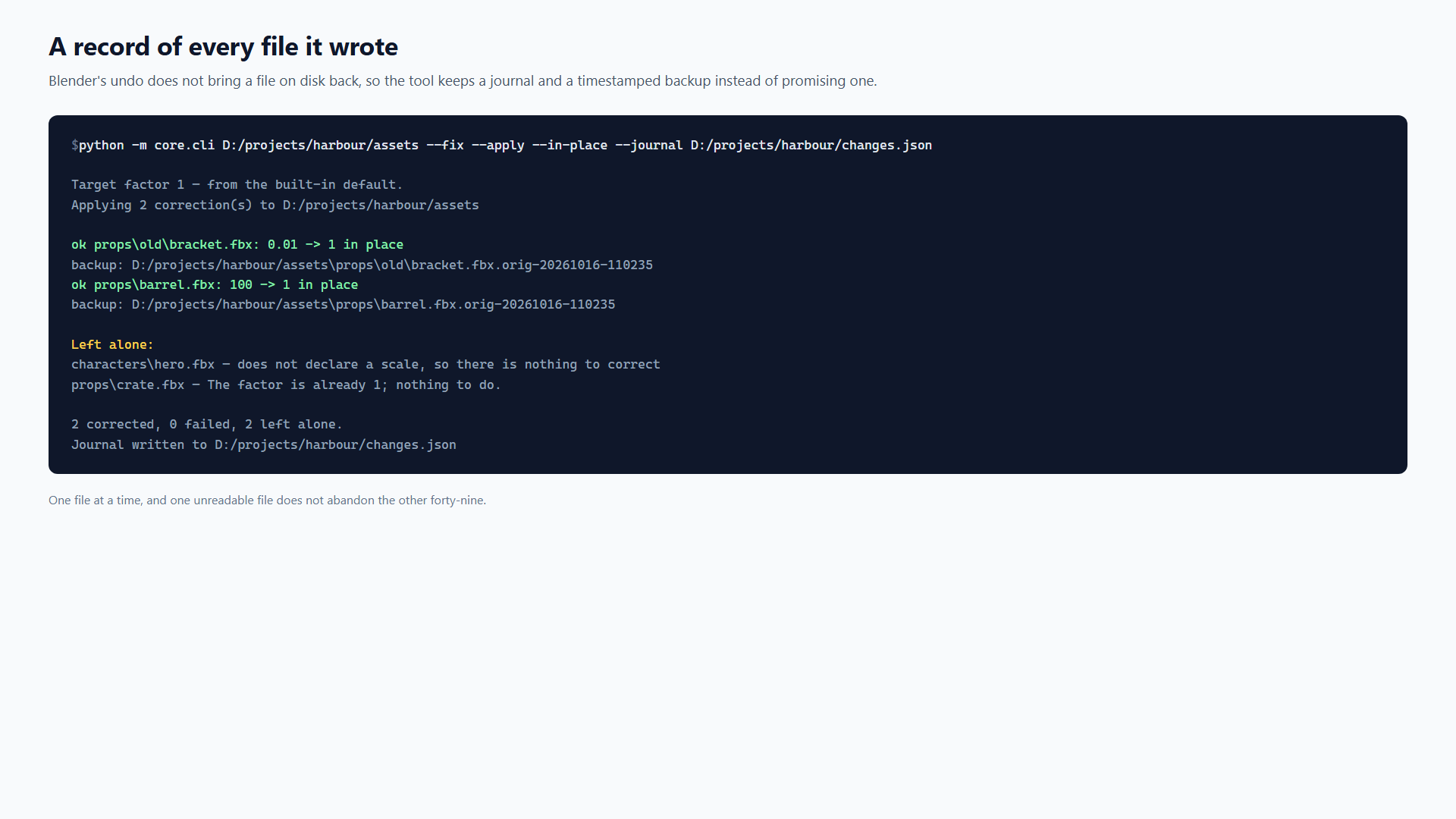
After applying: what was written, from which factor to which, and where the backup is. Blender's undo does not restore a file on disk, so this record is the safety net.
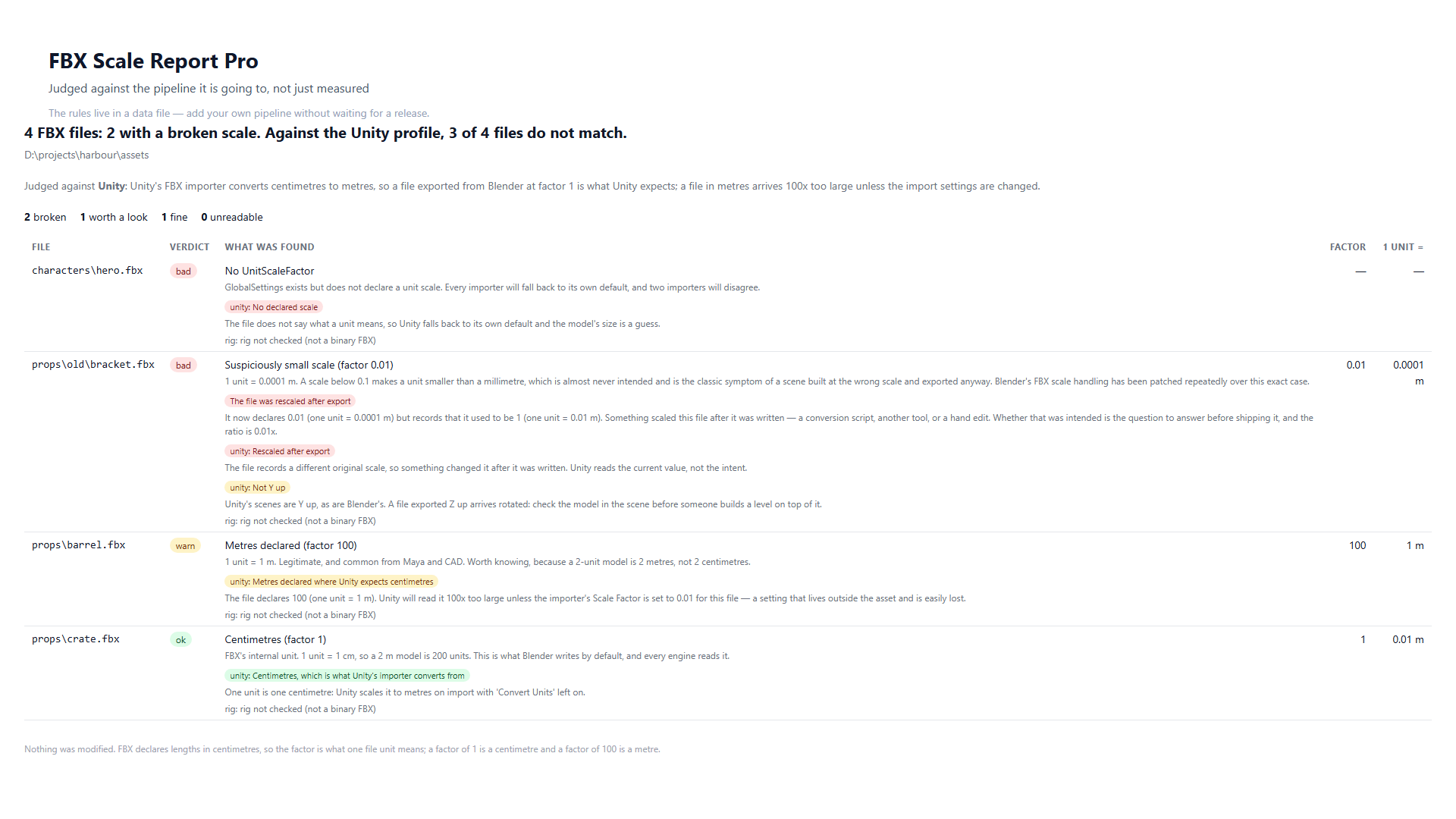
A report of four FBX files judged against the Unity profile: two marked bad, one worth a look, each with the profile's own reason underneath.
Judged against a pipeline, not just measured. The rules live in a data file, and every verdict carries the reason it was reached.
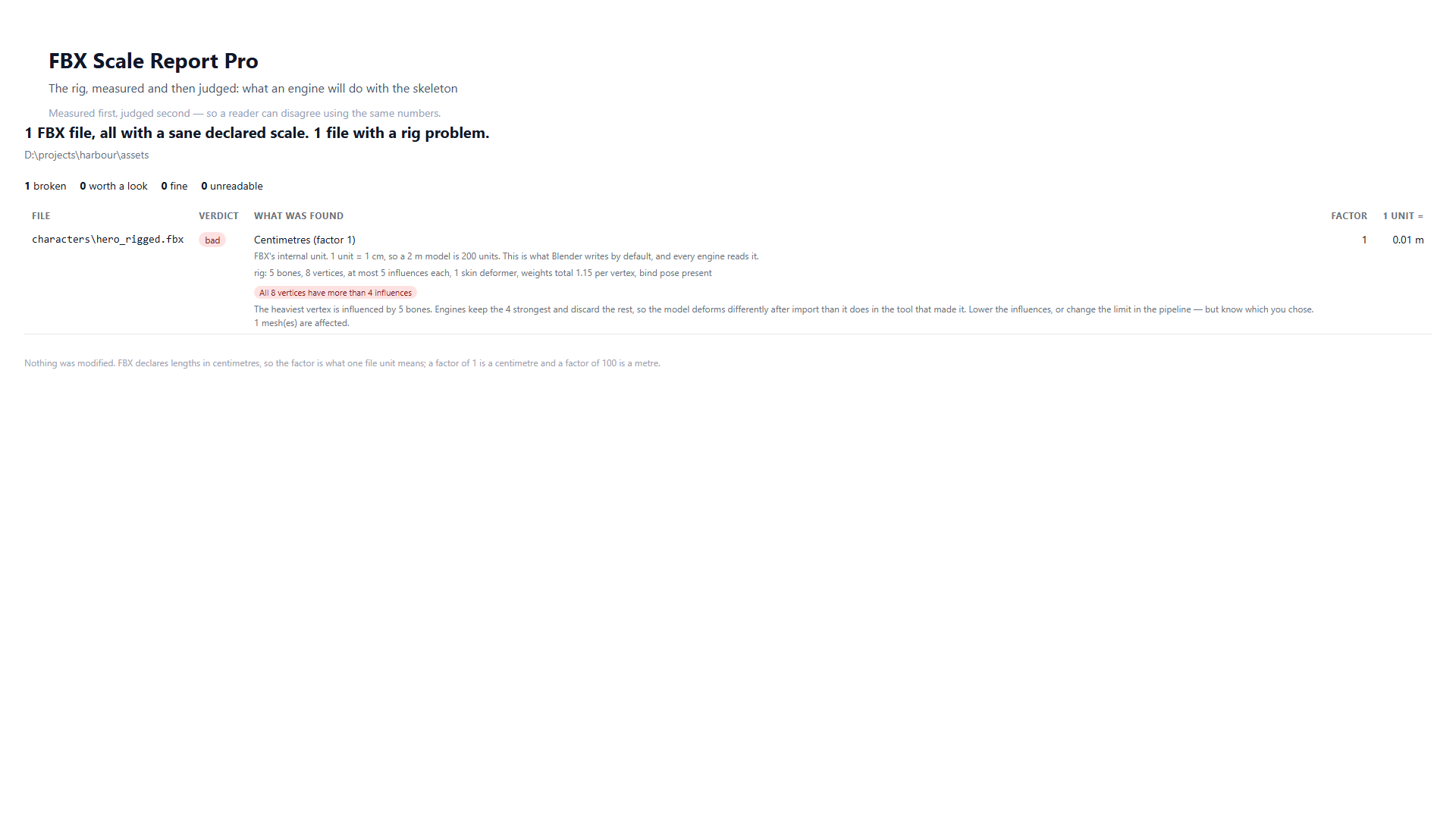
A report of one rigged FBX file: the rig measured at five bones and five influences per vertex, marked bad because engines keep four.
The rig, measured and then judged: how many bones influence each vertex, and what an engine will do with that.
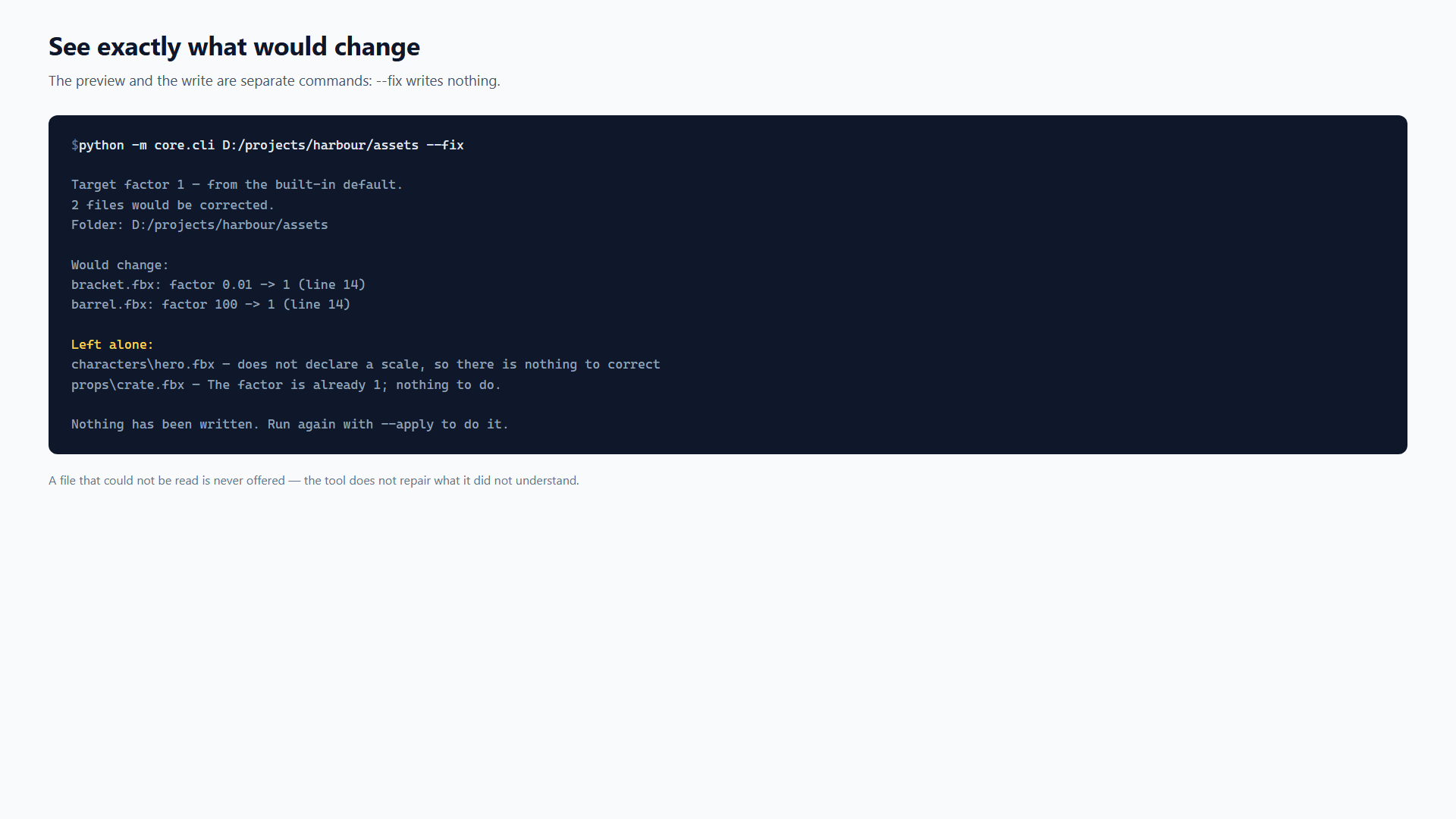
A terminal showing the --fix command listing two files that would change and two left alone, ending with 'Nothing has been written'.
The preview is a separate command from the write. Run it to see exactly what a correction would do, in a pipeline as well as in Blender.
A terminal showing the applied corrections, each with its backup, and the files left alone with the reason.
Every file it wrote is recorded, with the factor before and after and where the backup is. Blender's undo does not restore a file on disk, so this is what exists instead.

Requirements

  • blender 4.2 or newer
  • os Windows, Linux, macOS

What it does not do

Read this before you decide. It is the reason the list above can be believed.

  • It does not write a file it could not read: a file that fails to parse is reported by name and left alone.
  • It does not write anything without a press. The preview and the apply are separate, and the apply button is disabled when it would do nothing.
  • It does not claim a rig is fine when it could not see one. Rig checks read binary FBX — what Blender exports — and an ASCII file is reported as not checked.
  • It does not check file names, folder structure or marketplace paperwork. Profiles are about what is inside the file.
  • It sends nothing anywhere and needs no account: no telemetry, no server of ours, no cloud check.

Elsewhere